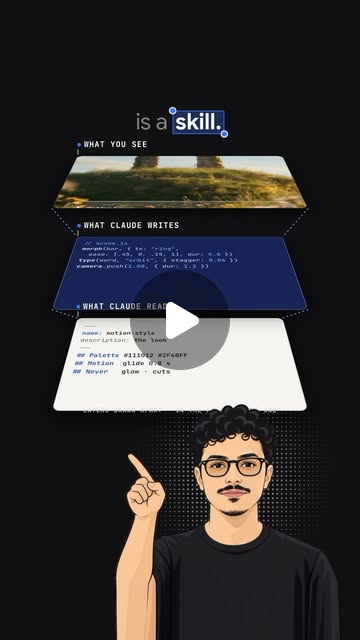
 Original Instagram post
Motion Scenes Template
An editable showcase structure inspired by our published skills video, rebuilt with original scenes for your own content.
- Original editable showcase scenes
- Script, timing and setup guidance
- Use your own footage and branding
- Standalone template; no main pack required
Your template uses original, editable scenes. The published video is the format reference; its creator likeness, narration and third-party footage are not supplied.
Inside your template.
Start with the guide, then replace the example copy and your own media.
guide.pdfSTART HERE
The complete illustrated version 1 setup guide, with a first project, copyable prompts, troubleshooting and the setup-success guarantee.
- Choose your coding agent
- Follow the first-project steps
- Check the result and resolve setup issues
workbook.htmlEDITABLE PROJECT WORKBOOK
A self-contained browser workbook with an editable brief, prompts and completion checks. Export your progress to keep a backup.
- Fill in your project direction
- Copy prompts into your agent
- Track steps and export your progress
demo/index.htmlEDITABLE PREVIEW
The local browser preview for the original rebuilt template, with playback and timeline controls.
- Watch the complete sequence
- Scrub each visual beat
- Review your edits
demo/config.jsCOPY, COLOR AND TIMING
The live configuration for the neutral example copy, palette and scene timing.
- Replace the example words
- Set your colors
- Adjust the chapter timing
demo/scene.jsORIGINAL MOTION
The original editable scene logic for this template, separate from the published post and its third-party footage.
- Change scene composition
- Adapt the transitions
- Create your own variation
project/script.txtSAMPLE SCRIPT
Original neutral narration text for the example. Replace it with your own words and recording; no creator voice is supplied.
- Write the opening
- Shape the explanation
- Prepare your own narration
project/plan.mdSTORY AND BEATS
An editable story plan connecting the neutral example wording to the visual sequence. This is a planning document, not an automatic scene generator.
- Choose your sequence of ideas
- Give each beat a visual purpose
- Guide the scene edits
project/timing.jsonILLUSTRATIVE BEAT TIMING
An illustrative beat map with no audio attached. Replace these timings with measurements from your own narration when you create a voiced version.
- Review the example sequence
- Measure your recording
- Align visual actions with speech
project/captions.srtSUBTITLE TEMPLATE
Editable sample subtitles with illustrative timing, not a transcript of the creator’s published video.
- Replace the text
- Retime for your own voice
- Check readable line lengths
skills/SKILL.mdAGENT WORKFLOW
The agent-readable workflow covers setup, creative changes, privacy, approval for provider costs and output validation.
- Give your agent the project rules
- Keep personal assets under your control
- Validate a new version
rendering.mdEXPORT GUIDE
Instructions for rendering a new local video with the separately installed capture and encoding tools.
- Prepare local tools
- Choose export settings
- Inspect the finished motion
render.mjsLOCAL VIDEO EXPORT
The deterministic browser-capture and MP4 export script. Use your own optional narration; the template contains no creator audio.
- Export a new version
- Set an output path
- Check framing and playback
Built for your own content.
Use your own Claude Code, Codex or Gemini account and follow the template guide. Provider usage is separate. This is a standalone editable template, not a license to the third-party tools or footage mentioned in the original post.
Covered by the 14-day setup-success guarantee. After payment, your download includes the guide, workbook and editable template.